


EasyBudget - Budget planning
4.02.55K Reviews
App Specs
- Version
- 4.1.0
- Updated On
- License
- Free
- Downloads
- 500,000+
- Developer
- Wallet Passes Alliance
- Categories
- Finance
- Platform
- Android
Screenshots
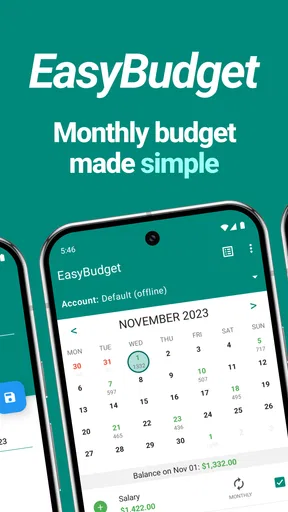
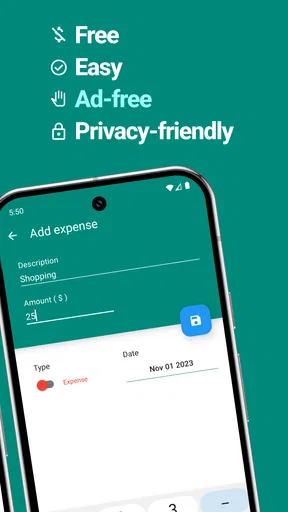
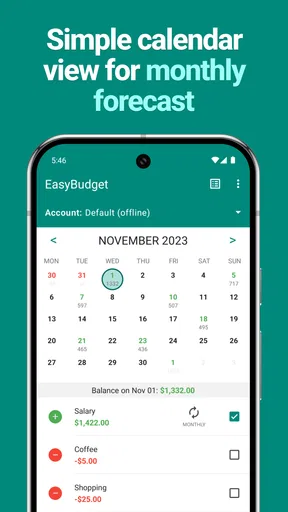
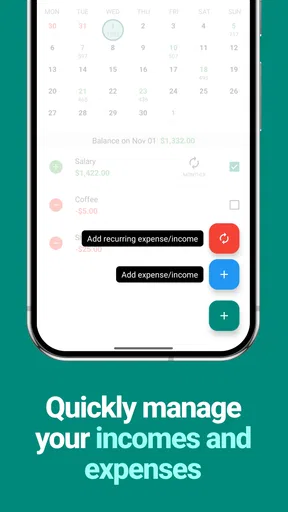
 Analysis by AppCompare
When I begin using a budgeting app, the first few days are usually the easy part: setting targets feels motivating, and every purchase seems like useful new information. The harder question is whether the routine still feels worthwhile a month later. EasyBudget - Budget planning makes a straightforward case for itself: it helps me plan spending, check how I am doing, and look back at the month without turning budgeting into a complicated project. Its lasting value depends less on novelty than on whether I keep the figures current.
A promising first week, if you start small
The app’s appeal is clearest when I use it to answer one practical question: how much room do I have left in a particular part of my budget? Rather than trying to organize every financial detail at once, I would begin with a few categories that matter day to day, such as groceries, transport, and eating out. That gives the budget a job immediately and makes the first check-ins feel useful instead of ceremonial.
A realistic example is a grocery trip after a busy workday. Before I add extras to the basket, I can check the amount I have set aside and make a conscious choice about what fits. That small pause is more useful than a perfect-looking budget created once and never revisited. For an app built around personal planning, the habit of checking before spending matters more than entering every transaction with immaculate detail.
What makes the routine stick
Budgeting works best when the categories reflect decisions I actually make. If a broad “shopping” bucket keeps mixing household essentials with impulse buys, it may be worth separating those expenses so the monthly view tells a clearer story. I would avoid creating too many categories at the start, though: an over-detailed setup can make every purchase feel like paperwork and undermine the easy routine the app is meant to support.
Another useful approach is to review the plan before a predictable change in spending, not only at month-end. A week with a social event, a larger grocery shop, or a bill coming due can call for a quick check of the relevant category. Reminders can help keep bill dates on my mind, but I would still treat them as prompts to verify what is due rather than as a substitute for checking the actual account or bill details.
EasyBudget is a finance app from Wallet Passes Alliance. It is free to install, rated for Everyone, and has an average rating of 3.8 from around 20,000 ratings. More than 500,000 people have installed it. Those figures suggest it has found an audience, but they do not tell me whether its approach suits a particular person; that depends on how much detail and automation they want from budgeting.
Making a monthly budget useful beyond setup
I find that a monthly budget becomes useful when I treat it as a working plan, not a one-time setup: a quick check before spending and a short review afterward can reveal where the numbers need adjusting. The next section looks at how to keep that routine light enough to maintain, so the plan remains helpful without turning every purchase into a task.
Worth Reading Before You Choose

EA SPORTS FC Mobile 26 Is a Bigger Football Game, but It Takes Time

Flipboard Shows What News Apps Must Do Beyond the Feed

Switching to Android Auto Means Rethinking Your Driving Routine

Google Calendar Makes a Crowded Week Easier to Manage

Ludo King Makes the Most of the Minutes Between Plans

Baby Panda World Brings Quick Play to Modern Phones, but Its Game Library Feels Busy
Where it fits among budgeting options
Compared with a spreadsheet, EasyBudget feels more approachable for someone who wants to organize a monthly plan without building formulas or designing a reporting layout. A spreadsheet can be more flexible and easier to tailor for unusual income or a detailed household system, but that flexibility comes with setup and upkeep. The app’s multiple budgets, categories, and spending reports make more sense for someone who wants a ready-made place to manage their plan than for someone who enjoys constructing their own tools.
It also serves a different purpose from a banking app that mainly shows transactions and balances. A transaction list helps me see what has already happened; a budget gives those purchases a planned context. That distinction is useful, but it also means I should not assume the budget is a live, complete picture of my bank account. I need to keep my own entries and plan aligned with reality rather than treating a category total as proof that every financial detail has been captured.
Keeping the workload manageable
The main maintenance cost is attention. Any budget becomes less reliable if I forget to record spending, change a plan without adjusting its category, or leave an old month’s assumptions in place. I would choose a regular moment—perhaps after reviewing a receipt or at the end of a day—to enter purchases, then do a brief weekly check for anything I missed. That is more sustainable than saving a month of entries for one unpleasant catch-up session.
Multiple budgets can be helpful when I have genuinely separate goals, such as day-to-day costs and a holiday fund. They can also create extra work if I duplicate categories or cannot remember which plan should contain a purchase. Before making another budget, I would ask whether it answers a distinct question. If not, improving the categories in the existing plan is likely to be easier to maintain.
Who is likely to keep using it
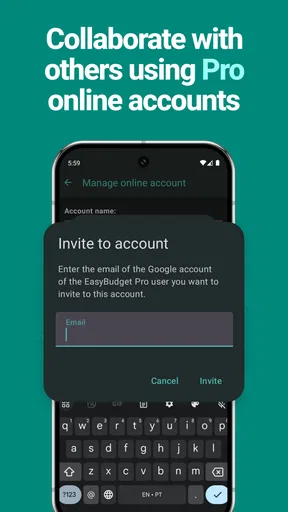
I would recommend EasyBudget to someone who wants a clear monthly structure, is comfortable keeping a budget current, and finds charts helpful when reviewing spending. It can also suit a couple or household that needs a shared budgeting routine across devices, though the people involved should agree on categories and when entries get updated. Syncing is useful only if everyone follows the same basic process; otherwise, two people can end up relying on different versions of the plan.
It is less suited to someone who expects a budget to populate itself from financial accounts or wants a highly automated view of income, bills, and transactions. In that case, an option with the specific account connections and automation they need may be a better fit. I would also look elsewhere if I wanted extensive forecasting or a highly customized financial model; a spreadsheet or a more specialized finance tool may give that person more control, at the cost of extra setup.
Where fatigue can creep in
Even a clean interface cannot remove the repetitive part of budgeting. Recording ordinary purchases may feel worthwhile during the first week, then become a nuisance when life gets busy. The best safeguard is to keep the system proportionate: track the categories that help me change decisions, and do not turn every small expense into a test of personal discipline. A monthly report is only useful if the information feeding it is reasonably current.
There are also practical questions worth settling before relying on any finance app. The app is free, but it offers in-app purchases ranging from $0.99 to $99.99 per item, so I would check what a paid option covers before buying anything and decide whether I need it. It is currently at version 4.1.0 and requires Android 7.0 or later. Those details matter when choosing a device or deciding whether the app fits an existing setup.
Reports, reminders, and useful restraint
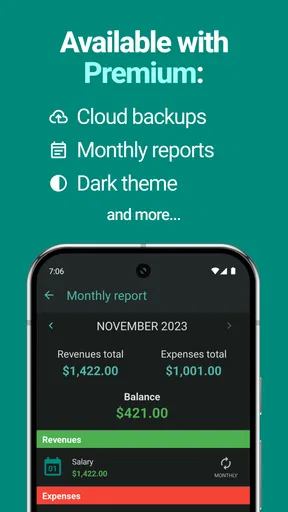
The charts and monthly breakdowns are most helpful when I treat them as clues, not verdicts. A larger-than-expected coffee total, for example, can prompt me to decide whether I want to change that habit or simply plan for it more realistically next month. The report does not make that decision for me. Its value is in making a pattern easier to notice and discuss without having to reconstruct the month from memory.
I would use reminders selectively. A prompt for a genuinely easy-to-forget bill can reduce mental clutter, while reminders for every routine expense may become noise that I start ignoring. Similarly, themes and color choices can make the interface feel more personal, but they are a small comfort rather than a reason to choose the app. The useful test is whether the visual setup makes it easier for me to return and check my plan.
Before making it your main budget
For a first budget, I would set a realistic monthly limit based on what I actually spend, then adjust it after reviewing a full month rather than guessing at an ideal version of my life. I would also leave room for irregular expenses instead of treating every month as identical. When income or expenses vary, a fixed plan may need more frequent attention; the app can organize the numbers, but I still have to decide how to adapt the plan.
Privacy deserves the same practical thought as convenience. The original review describes encryption and support positively, but I would still read the app’s current privacy information and decide what financial details I am comfortable entering. I would avoid assuming that a budgeting tool replaces secure banking practices or that a reminder confirms a payment has cleared. Those checks belong with the relevant provider.
My long-term verdict
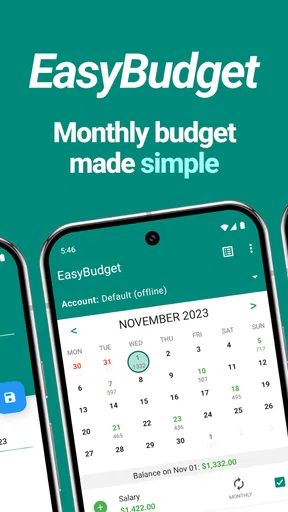
After the first burst of enthusiasm fades, EasyBudget’s strongest reason to stay installed is its straightforward monthly rhythm: set a plan, check spending against it, and use the report to make a better next plan. That is a modest promise, but it can be enough for someone who wants practical guidance without spreadsheet work. The trade-off is that the routine relies on me to keep entries and categories meaningful; if I stop maintaining them, the app’s neat summaries lose their value.
EasyBudget is a finance app from Wallet Passes Alliance, released on December 2, 2015. I see it as a sensible starting point for people who want to build a hands-on budgeting habit, rather than a complete financial command center. Its 2.5 thousand reviews sit alongside that 3.8 average, but neither popularity nor a tidy chart can make budgeting automatic. I would give it a try if I wanted a simple monthly structure and was willing to check in regularly; I would choose a more automated or more flexible alternative if those needs mattered more.
Getting Started with EasyBudget
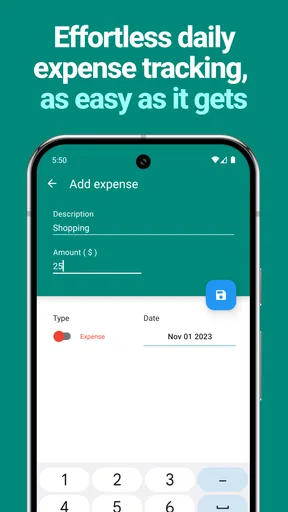
First things first, downloading and setting up EasyBudget was a breeze. A few taps and I was ready to start organizing my finances. The app's interface is clean and intuitive, making it easy to navigate even if you're not a tech wizard. It’s like having a financial advisor in your pocket, minus the complicated jargon.
Features That Stand Out
One of the features I loved right off the bat is the ability to set up multiple budgets. Whether you’re saving for a vacation or just trying to keep your grocery spending in check, you can create specific categories and allocate funds accordingly. It's like having a mini accountant keeping tabs on where your money's going.
The app also provides real-time updates on your spending. Imagine this: you’re at the store and wondering if you’ve stayed within your entertainment budget. A quick glance at the app gives you all the info you need. It's a lifesaver for spontaneous spenders like me!
Tracking and Reporting
EasyBudget doesn’t just help you set budgets; it also offers insightful tracking and reporting features. The monthly reports are a game-changer. They break down your spending habits into easy-to-read graphs and charts, making it crystal clear where you might need to cut back. It's like having a financial review every month, without the headache.
Plus, if you’re a data nerd like me, you’ll appreciate the detailed breakdowns. You can see exactly how much you spent on coffee last month (spoiler: it’s probably more than you think).
Customization and Personalization
Another nifty feature is the app’s customization options. You can personalize the interface with different themes and color schemes, which is a nice touch. It makes budgeting feel a bit more fun and less like a chore. Plus, you can set reminders for upcoming bills or payments, ensuring you never miss a due date.
The app also allows syncing across multiple devices, so whether you’re on your phone or tablet, your budget is always up to date. It’s perfect for those of us who switch devices like it’s a hobby.
Security and Support
Now, let’s talk security. The app uses advanced encryption to keep your data safe, which is reassuring. Financial info is sensitive, and EasyBudget takes that seriously. I also had a few questions during my setup, and the customer support was top-notch. They’re quick to respond and super helpful, which is always a plus in my book.
Final Thoughts
All in all, EasyBudget - Budget planning is a stellar tool for anyone looking to take control of their finances without feeling overwhelmed. It’s user-friendly, packed with useful features, and offers robust security for peace of mind. Whether you’re a seasoned budgeter or just starting out, this app has something to offer.
So, if you’re tired of feeling like your money is running away from you, give EasyBudget a try. It's like having a financial guru in your pocket, guiding you toward smarter spending and better saving. Trust me, your future self will thank you!
Pros
- Intuitive and user-friendly interface.
- Supports multiple currencies easily.
- Customizable budget categories.
- Real-time expense tracking feature.
- Secure data backup options.
Cons
- Limited features in free version.
- No integration with bank accounts.
- Ads can be distracting at times.
- Lacks advanced financial analysis.
- No dark mode available yet.
FAQs for EasyBudget - Budget planning
What is EasyBudget and how does it work?
EasyBudget is a user-friendly app designed to help you manage your finances by tracking income, expenses, and savings. It offers intuitive tools for budget planning, allowing you to set financial goals and monitor your progress. The app provides visual charts and reports to give you a clear overview of your financial health.
Is EasyBudget available on both Android and iOS devices?
Yes, EasyBudget is available for download on both Android and iOS platforms. You can find it on the Google Play Store for Android devices and the Apple App Store for iOS devices. This cross-platform availability ensures that you can manage your finances on any device you prefer.
Does EasyBudget require an internet connection to function?
EasyBudget can function offline, allowing you to manage your finances without an internet connection. However, some features like cloud syncing and data backup may require internet access. This flexibility ensures you can track your finances anytime, anywhere, even without a stable internet connection.
Are there any subscription fees or in-app purchases in EasyBudget?
EasyBudget offers a free version with basic features. However, if you wish to access advanced functionalities like detailed reports, custom categories, and ad-free experience, you may need to opt for in-app purchases or a subscription. This model allows you to choose the level of service that fits your needs.
How secure is my financial data in EasyBudget?
EasyBudget prioritizes user privacy and data security by implementing encryption and secure storage protocols. Your financial information is stored safely, and the app provides options for password protection and biometric login. Regular updates ensure the latest security measures are in place to protect your data.


